PDF files are one of the most widely used document formats in the world. From contracts and resumes to reports and study materials, PDFs are everywhere.
However, editing PDF files has traditionally required paid software, making simple tasks like correcting text, adding notes, or rearranging pages frustrating for many users. In 2026, this has changed significantly. Check More Here: Use PDF Viewer Without Download in 2026
Thanks to modern web-based tools, it is now possible to edit PDF files for free without installing heavy software or paying for expensive subscriptions. This guide explains how to edit PDF files for free in 2026, what editing features are available, and how online PDF editors make the process simple and accessible for everyone.
Why people need to edit PDF files
PDFs are often used as final documents, but in reality, users frequently need to make changes. Common reasons include fixing typos, updating information, filling out forms, adding signatures, or reorganizing pages.
Students may need to annotate notes, professionals often edit contracts or proposals, and businesses regularly update reports. The demand for easy and free PDF editing continues to grow.
What does editing a PDF actually mean
Editing a PDF can involve several different actions. It may include modifying text, adding new content, inserting images, highlighting sections, or adding comments.
In many cases, users simply need basic editing features rather than full document redesign. Free PDF editors focus on these essential tasks while keeping the process simple.
Traditional PDF editing vs modern online tools
In the past, editing PDFs required desktop software that was expensive and resource-heavy. These programs often needed installation, updates, and powerful hardware.
Modern online PDF editors work directly in the browser. They use cloud-based processing to handle files efficiently, eliminating the need for downloads and making editing accessible on any device.
Benefits of editing PDFs online for free
Free online PDF editors offer several advantages. They save time, work across different platforms, and do not require technical knowledge.
Users can edit PDFs on Windows, macOS, Linux, tablets, or smartphones using only a browser. This flexibility is especially useful for remote work and quick edits.
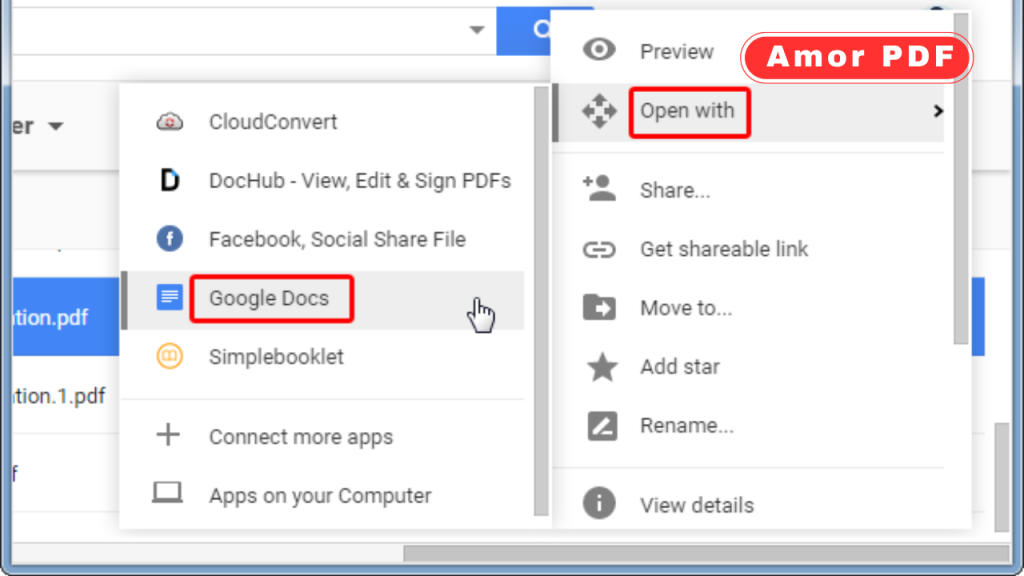
Common PDF editing tasks you can do for free
Most free PDF editors support essential editing features. These include adding text boxes, highlighting or underlining content, inserting images, and drawing shapes.
Many tools also allow page reordering, deletion of unwanted pages, and merging or splitting documents. These features cover the majority of everyday PDF editing needs.
Editing text in PDF files
Text editing is one of the most requested features. While advanced text restructuring may require paid tools, free editors allow users to add or modify text using overlays or editable fields.
This is ideal for correcting mistakes, adding notes, or filling out information without altering the original layout.
Adding images and graphics to PDFs
Free PDF editors often allow users to insert images such as logos, screenshots, or signatures. Images can usually be resized and positioned as needed.
This feature is useful for branding documents, signing forms, or enhancing visual content.
Annotating and commenting on PDFs
Annotations are essential for collaboration and study. Free PDF editors let users highlight text, add comments, and draw shapes.
These tools are widely used by students, teachers, and professionals reviewing documents together.
Filling and signing PDF forms
Many PDFs are forms that need to be filled out and signed. Free online PDF editors support form filling and electronic signatures.
This allows users to complete documents quickly without printing or scanning, saving time and paper.
Managing PDF pages
Editing a PDF also includes managing its structure. Free tools often support page reordering, rotation, deletion, and extraction.
These features help users customize documents without recreating them from scratch.
How AmorPDF makes PDF editing easy
AmorPDF provides a simple and efficient way to edit PDF files for free in 2026. Users can upload their PDF directly in the browser and access essential editing tools instantly.
The interface is designed for ease of use, allowing users to add text, annotations, images, and make structural changes without technical complexity.
Advantages of using AmorPDF for free PDF editing
AmorPDF works online without installation and supports fast processing. Files remain clear and readable after editing, maintaining document quality.
Other advantages include cross-device compatibility, intuitive controls, and secure handling of uploaded files.
Security and privacy when editing PDFs online
Security is a common concern when uploading documents. Trusted PDF editors use encrypted connections to protect files during processing.
Most platforms automatically delete files after editing, ensuring that user data is not stored permanently.
Best practices for editing PDFs for free
To achieve the best results, users should keep an original copy of the document before editing. Avoid excessive edits on the same file to maintain clarity.
Using a stable internet connection and updated browser ensures smooth performance during editing.
Limitations of free PDF editors
Free PDF editors may have limitations compared to premium software. Advanced text restructuring, complex layouts, or batch processing may not be available.
However, for everyday editing tasks, free tools are more than sufficient.
Editing PDFs on different devices
Online PDF editors allow seamless editing across devices. Users can start editing on a desktop and continue on a tablet or smartphone.
This flexibility is ideal for modern, mobile-focused workflows.
The future of free PDF editing
In 2026 and beyond, free PDF editing tools will continue to improve. Better text recognition, AI-assisted editing, and enhanced collaboration features are expected.
The trend clearly favors browser-based tools that prioritize accessibility and simplicity.
Conclusion
Editing PDF files for free in 2026 is easier and more accessible than ever. Online PDF editors eliminate the need for expensive software and complex installations, allowing users to make essential changes quickly and securely. From text edits and annotations to form filling and page management, free tools cover most everyday needs. Using a reliable online editor ensures efficiency, flexibility, and high-quality results. For official information about the PDF format and its standards, you can also explore resources provided by Adobe at https://www.adobe.com.
FAQs
Can I really edit PDF files for free in 2026?
Yes, modern online tools allow users to edit PDFs for free directly in the browser.
Do I need to install software to edit PDFs?
No, online PDF editors work without installation and require only a web browser.
Is it safe to edit PDFs online?
Trusted platforms use secure connections and delete files automatically, making online editing safe.
What types of edits can I make for free?
You can add text, images, annotations, fill forms, sign documents, and manage pages.
Do free PDF editors work on mobile devices?
Yes, most online PDF editors support mobile browsers on smartphones and tablets.