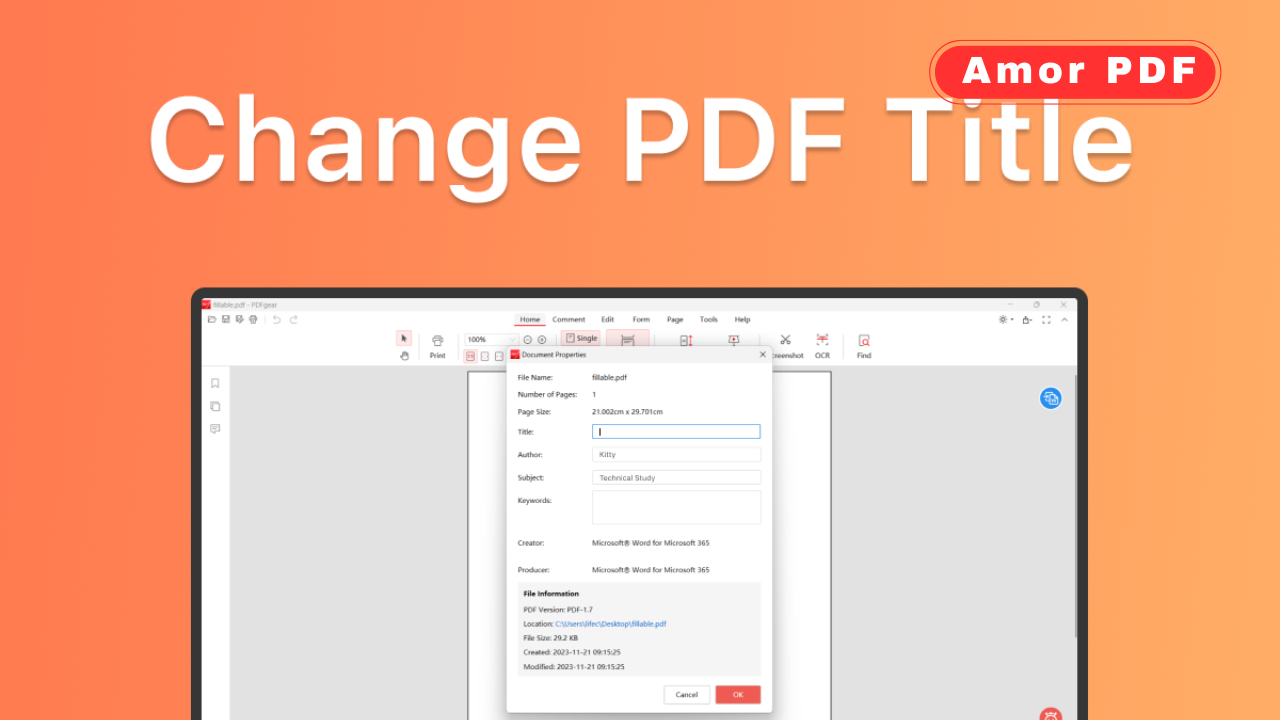
PDF metadata contains hidden information about a document, such as its title, author, subject, keywords, and sometimes even the software used to create it.
In 2026, managing PDF metadata is more important than ever for privacy, professionalism, SEO, and document organization. Check More Here: How to Change PDF File Name Metadata in 2026
If you’ve ever renamed a PDF file but noticed that its internal title still shows the old name, that’s because file name and metadata are different. This guide explains how to change PDF file name metadata in 2026 safely and correctly.
What is PDF metadata
PDF metadata is embedded information stored inside the document file. It can include:
Title
Author
Subject
Keywords
Creation date
Modification date
Software details
This information may appear in document properties or search previews.
Difference between file name and metadata
The file name is what you see in your file explorer. Metadata is stored inside the PDF itself.
Changing the file name does not automatically update the internal document title or other metadata fields.
Why you should update PDF metadata
Updating metadata helps:
Maintain professionalism
Improve document organization
Protect privacy
Prepare documents for online publishing
Improve search visibility in digital systems
Incorrect metadata can reveal outdated or unwanted information.
How to check PDF metadata
Before editing metadata, check the document properties. Most PDF readers allow you to view properties such as title and author.
Reviewing metadata first helps identify what needs to be changed.
Changing PDF metadata using desktop PDF software
Most modern PDF editors in 2026 include a document properties section where you can edit metadata fields directly.
You can modify title, author, subject, and keywords, then save the updated file.
Changing PDF metadata in free PDF readers
Some free PDF tools allow limited metadata editing. These tools usually support basic fields like title and author.
After editing, always save the file to confirm changes.
Using online tools to edit PDF metadata
Online PDF platforms often include metadata editing features. You upload the file, edit the fields, and download the updated version.
This is convenient but should be used carefully for confidential documents.
Removing sensitive metadata from PDFs
In some cases, it’s better to remove metadata completely rather than modify it. Removing metadata prevents personal information from being exposed.
Many tools offer a “sanitize” or “remove hidden information” option.
Updating metadata for SEO purposes
If you publish PDFs online, updating the internal title and keywords can improve search indexing.
Search engines may read metadata when ranking documents.
Renaming the file and updating metadata together
For consistency, update both the file name and internal title. This avoids confusion when sharing documents.
Keeping both aligned improves professionalism.
Editing metadata on mobile devices
In 2026, many mobile PDF apps allow basic metadata editing. This is useful when managing documents on the go.
However, advanced metadata editing is usually easier on desktop tools.
Changing metadata for multiple PDFs
Batch editing tools allow you to update metadata across multiple files at once. This is helpful for large document collections.
Batch editing saves time and ensures consistency.
Protecting metadata after editing
After updating metadata, save and reopen the file to verify changes. Some tools require confirmation before finalizing edits.
Double-checking ensures the update was successful.
Flattening and metadata changes
Flattening a PDF form does not automatically remove metadata. Metadata must be edited separately.
If privacy is important, always check metadata after flattening.
Common mistakes when editing PDF metadata
Only renaming the file
Forgetting to save changes
Uploading sensitive files to untrusted websites
Ignoring hidden metadata fields
Avoiding these mistakes protects your data.
Privacy considerations in 2026
Modern PDFs may store additional hidden metadata, such as revision history. Removing hidden data is important when sharing externally.
Privacy-aware document handling is increasingly important.
Verifying metadata changes
After editing, reopen the document properties to confirm updates. Also test by sending the file and checking preview information.
Verification prevents accidental data leaks.
File size impact after editing metadata
Editing metadata usually does not significantly affect file size. However, removing hidden data may slightly reduce file size.
This makes metadata editing safe and efficient.
When you should not modify metadata
If the PDF is digitally signed, editing metadata may invalidate the signature.
In such cases, verify requirements before making changes.
Why metadata management matters today
In 2026, digital document management is more structured than ever. Clean metadata improves organization, compliance, and presentation.
Professional documents should always contain accurate metadata.
Conclusion
Changing PDF file name metadata in 2026 is a simple but important step for privacy, organization, and professionalism. By editing document properties, aligning file names with internal titles, and removing hidden metadata when necessary, you ensure your PDFs are clean and properly managed.
Whether using desktop software or trusted online tools, always verify changes before sharing. For official documentation and professional PDF management tools, you can explore information available at https://www.adobe.com.
FAQs
Does renaming a PDF change its metadata?
No, renaming the file does not update internal metadata.
Can I remove metadata completely from a PDF?
Yes, many tools allow you to remove or sanitize metadata.
Is it safe to edit metadata online?
It is safe with trusted platforms, but avoid uploading sensitive documents.
Will editing metadata affect document content?
No, it only changes hidden document properties.
Does metadata affect SEO for PDFs online?
Yes, search engines may use metadata for indexing.